Showing posts with label Tech News. Show all posts
Showing posts with label Tech News. Show all posts
Saturday, 3 February 2018

Monday, 22 January 2018
Beware! These “Forced” Chrome And Firefox Extensions Are Almost Impossible To Remove
Google Chrome is often labeled as one of the best web browsers around for all the right reasons. Players like Firefox are competing by adding innovative features, but Chrome continues to enjoy an unparalleled popularity. However, this doesn’t mean that Chrome is 100% secure. A security researcher has spotted malicious add-ons that’s almost impossible to delete.
These extensions have been spotted in both Mozilla Firefox and Google Chrome. They use techniques to redirect users away from pages where they can remove the extensions and try to hijack traffic for driving clicks on other web pages.
Chrome and Firefox both are affected
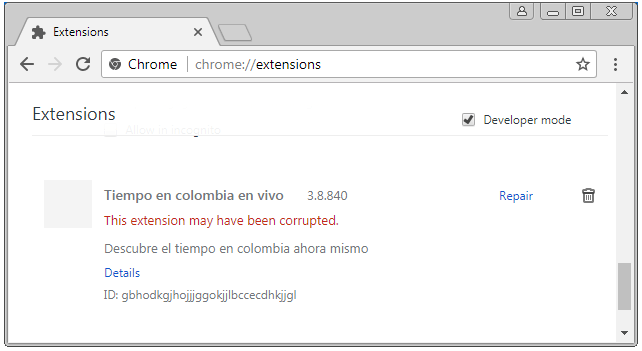
For Chrome, the researcher found an extension named Tiempo en colombia en vivo. It gets pushed via a method called “Forced Chrome Extension.”To drive away users from the extensions page, it redirects the uses from chrome://extensions/ to chrome://apps/?r=extensions. On this page, only installed apps are listed. Blocking JS in Chrome or starting Chrome with disabled extensions doesn’t help as well.
A method to stop the extensions from operating is by renaming the 1499654451774.js file in the extensions folder. It shows up in the extensions list as corrupted.
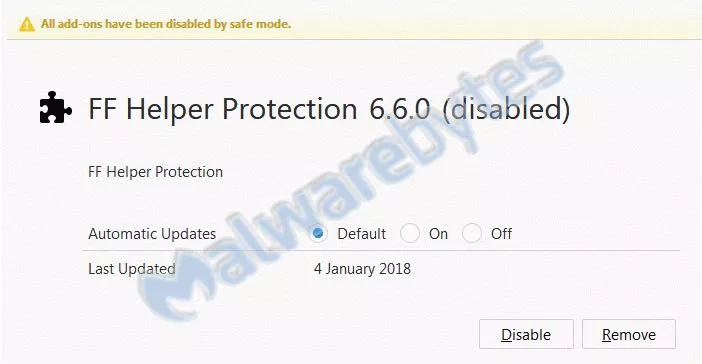
Malwarebytes also found a similar extension in Firefox with name PUP.Optional.FFHelperProtection. It blocks about:addons in background.js and prohibits the user from removing it.
Removal in Firefox is comparatively easier as one can see all the installed extensions by running the browser in safe mode.
While the exact extensions might not exist on the online stores at the moment, their modified versions continue to prevail. As they arrive on the machines of users via forced installs, it’s difficult to avoid them every single time. So, the users are advised to surf the web with caution and use recommended security methods. Before downloading extensions, users should also read their descriptions and reviews carefully.
It’s also worth noting that these extensions highlight a picture that involves Google’s failure to ensure proper scrutiny when it comes to Play Store or Chrome Store. So, unless Google makes its review process for third-party extensions and apps more stringent, such problems aren’t going to go away.
Saturday, 20 January 2018
15-Year-Old Schoolboy Posed as CIA Chief to Hack Highly Sensitive Information

A
notorious pro-Palestinian hacking group behind a series of embarrassing
hacks against United States intelligence officials and leaked the
personal details of 20,000 FBI agents, 9,000 Department of Homeland Security officers, and some number of DoJ staffers in 2015.
Believe or not, the leader of this hacking group was just 15-years-old when he used "social engineering" to impersonate CIA director and unauthorisedly access highly sensitive information from his Leicestershire home, revealed during a court hearing on Tuesday.
Kane Gamble, now 18-year-old, the British teenager hacker targeted then CIA director John Brennan, Director of National Intelligence James Clapper, Secretary of Homeland Security Jeh Johnson, FBI deputy director Mark Giuliano, as well as other senior FBI figures.
Believe or not, the leader of this hacking group was just 15-years-old when he used "social engineering" to impersonate CIA director and unauthorisedly access highly sensitive information from his Leicestershire home, revealed during a court hearing on Tuesday.
Kane Gamble, now 18-year-old, the British teenager hacker targeted then CIA director John Brennan, Director of National Intelligence James Clapper, Secretary of Homeland Security Jeh Johnson, FBI deputy director Mark Giuliano, as well as other senior FBI figures.
Between June 2015 and February 2016, Gamble posed as Brennan and tricked call centre and helpline staff into giving away broadband and cable passwords, using which the team also gained access to plans for intelligence operations in Afghanistan and Iran.
The teenager also taunted his victims and their families, released their personal details, bombarded them with calls and messages, downloaded and installed pornography onto their computers and took control of their iPads and TV screens.
He also made hoax calls to Brennan's home and took control of his wife’s iPad.
At one point, Gamble also sent DHS secretary Johnson a photograph of his daughter and said he would f*** her, phoned his wife, leaving a voicemail message which said: "Hi Spooky, am I scaring you?," and even managed to get the message "I own you" on the couple's home television.
Gamble was arrested in February 2016 at his council home in Coalville and last October he pleaded guilty to 8 charges of "performing a function with intent to secure unauthorised access" and 2 charges of "unauthorised modification of computer material."
Gamble's defence said he was technically gifted but emotionally immature and has an autistic spectrum disorder, at the time of his offending, he had the mental development of a 12 or 13-year-old.
Also, the defence said, at no point did Gamble attempt to profit from his actions.
Out of 10 counts, Gamble previously admitted 8 charges of performing a function with intent to secure unauthorised access.
The teenager will be sentenced when the hearing resumes at a later date.
Two other members of Crackas With Attitude hacking group, Andrew Otto Boggs and Justin Gray Liverman, were arrested by FBI in September 2016 and had already been sentenced to five years in federal prison.
Friday, 19 January 2018
Facebook Password Stealing Apps Found on Android Play Store

Even after many efforts made by Google last year, malicious apps always somehow manage to make their ways into Google app store.
Security researchers have now discovered a new piece of malware, dubbed GhostTeam, in at least 56 applications on Google Play Store that is designed to steal Facebook login credentials and aggressively display pop-up advertisements to users.
Discovered independently by two cyber security firms, Trend Micro and Avast, the malicious apps disguise as various utility (such as the flashlight, QR code scanner, and compass), performance-boosting (like file-transfer and cleaner), entertainment, lifestyle and video downloader apps.
Like most malware apps, these Android apps themselves don’t contain any
malicious code, which is why they managed to end up on Google's official
Play Store.
Once installed, it first confirms if the device is not an emulator or a virtual environment and then accordingly downloads the malware payload, which prompts the victim to approve device administrator permissions to gain persistence on the device.

How Android Malware Steals Your Facebook Account Password
As soon as users open their Facebook app, the malware immediately prompts them to re-verify their account by logging into Facebook. Instead of exploiting any system or application vulnerabilities, the malware uses a classic phishing scheme in order to get the job done.
These fake apps simply launch a WebView component with Facebook look-alike login page and ask users to log-in. Apparently, WebView code steals the victim's Facebook username and password and sends them to a remote hacker-controlled server.
"This is most likely due to developers using embedded web browsers (WebView, WebChromeClient) in their apps, instead of opening the webpage in a browser," Avast said.
Trend Micro researchers warn that these stolen Facebook credentials can later be repurposed to deliver "far more damaging malware" or "amass a zombie social media army" to spread fake news or generate cryptocurrency-mining malware.
Stolen Facebook accounts can also expose "a wealth of other financial and personally identifiable information," which can then be sold in the underground markets.
Security firms believe that GhostTeam has been developed and uploaded to the Play Store by a Vietnamese developer due to considerable use of Vietnamese language in the code.
According to the researchers, the most users affected by the GhostTeam malware reportedly resides in India, Indonesia, Brazil, Vietnam, and the Philippines.
Besides stealing Facebook credentials, the GhostTeam malware also displays pop up adverts aggressively by always keeping the infected device awake by showing unwanted ads in the background.

Play Protect security feature uses machine learning and app usage analysis to remove (i.e. uninstall) malicious apps from users Android smartphones in an effort to prevent any further harm.
Although malicious apps floating on the official app store is a never-ending concern, the best way to protect yourself is always to be vigilant when downloading apps, and always verify app permissions and reviews before you download one.
Moreover, you are strongly advised to keep a good antivirus app on your mobile device that can detect and block such threat before they infect your device, and most importantly, always keep your device and apps up-to-date.
Wednesday, 17 January 2018
How To Get Android One Launcher With Google Feed On Your Phone (No Root Required)
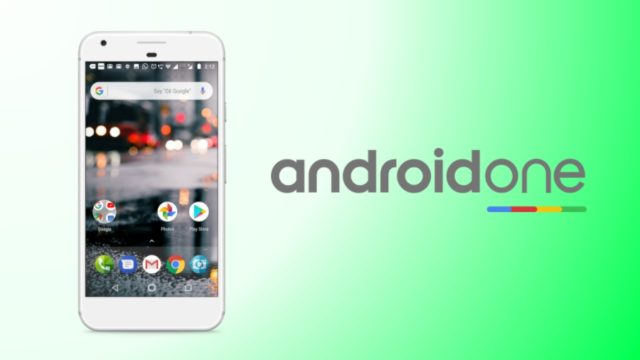
Android One devices are Google’s attempt at providing a better experience for Android users purchasing budget devices. Just like the Pixel devices, there is a custom launcher app available for Android One.
While it is designed to work on these devices, determined developers are always in search of ways to bring them to other Android smartphones. Moving ahead on similar lines, the Android developer Amir Zaidi (AmirZ) has managed to develop a port of the Android One launcher present on Xiaomi A1 smartphone.
In September last year, AmirZ released a port of the Google Pixel Launcher that came to Google-made devices with Android 8.0 Oreo. His work inspired other Android launchers to add support for Google Now feed. It was followed by the release of the modded version of the Google Pixel 2 launcher by XDA member paphonb, featuring the Google Search bar at the bottom.
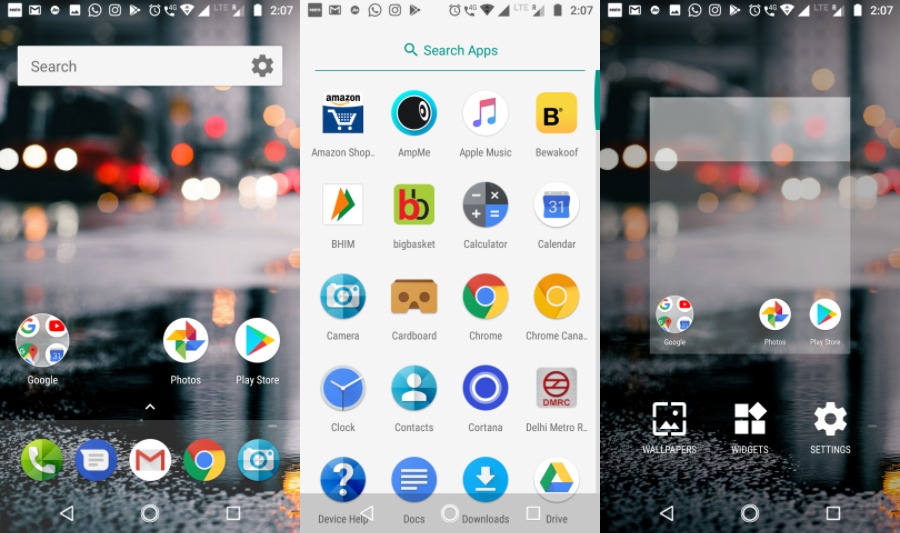
AmirZ’s Android One launcher can be easily sideloaded as it doesn’t require the device to be rooted. Also, it comes with a working Google Now Feed. When compared to the Google Pixel launcher, it has some visual distinctions. The app drawer has a white background.
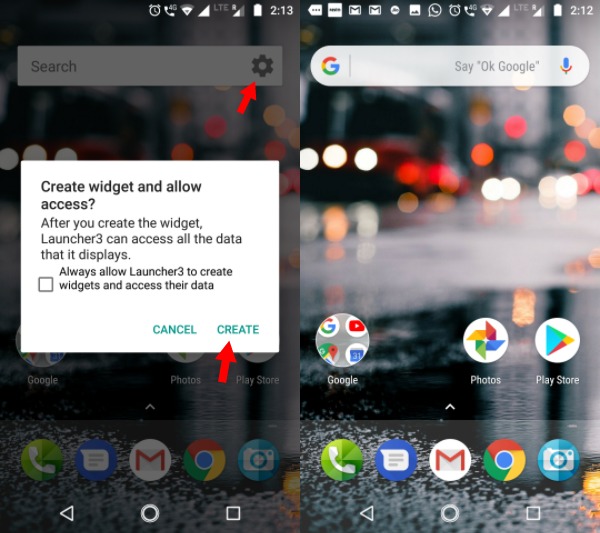 |
|There is one small twist, the rectangle Google search bar on the home screen turns into the rounded one we see on Pixel devices. Just tap on the small gear button and agree to the prompt displayed.
You can download the Android One launcher using this link.
Using BitTorrent For Downloading? This Security Flaw Lets Hackers Control Your PC Remotely
Even though the popularity of streaming websites is rising at a fast pace, BitTorrent remains a premier source of entertainment content source for a large chunk of people using the web. With the help of tons of popular torrent sites (there are some completely legal ones as well) and BitTorrent clients, people download content.
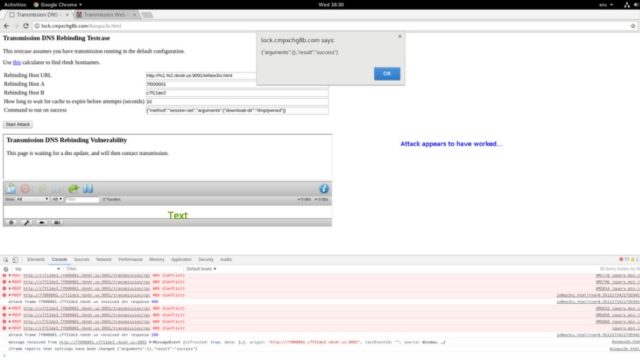
A recent critical vulnerability spotted by Google’s Project Zero team targets the popular Transmission BitTorrent app. By exploiting this flaw, a hacker can execute malicious code on the users’ computer, according to Ars Technica.
Last week, the Project Zero researchers published the proof-of-concept attack code. It’s worth noting that Project Zero normally refrains itself from making the details of such flaws public for 90 days or until the fix is released. However, in this case, the flaw was made public only 40 days after the initial report. This happened because the report included a patch to fix the vulnerability but Transmission developers didn’t respond on their private security mailing list.
After the public release of the flaw, the downstream projects using the Transmission project would be able to inculcate the patch in their implementations.
With the help of a hacking technique called domain name system rebinding, this exploit can control the Transmission interface when the target visits a malicious website. This can be further made easier by creating a DNS name which attacker is authorized to communicate with.
After controlling the Transmission interface, the attacker needs to change the torrent download directory to home and download a torrent named .bashrc. The attacker can also configure Transmission to run any command after the download has completed.
The Transmission developers have promised to release the fix as soon as possible. However, no specific date was given.
Tuesday, 16 January 2018
Skygofree — Powerful Android Spyware Discovered
Security
researchers have unveiled one of the most powerful and highly advanced
Android spyware tools that give hackers full control of infected devices
remotely.
Dubbed Skygofree, the Android spyware has been designed for targeted surveillance, and it is believed to have been targeting a large number of users for the past four years.
Since 2014, the Skygofree implant has gained several novel features previously unseen in the wild, according to a new report published by Russian cybersecurity firm Kaspersky Labs.
The 'remarkable new features' include location-based audio recording using device's microphone, the use of Android Accessibility Services to steal WhatsApp messages, and the ability to connect infected devices to malicious Wi-Fi networks controlled by attackers.
Dubbed Skygofree, the Android spyware has been designed for targeted surveillance, and it is believed to have been targeting a large number of users for the past four years.
Since 2014, the Skygofree implant has gained several novel features previously unseen in the wild, according to a new report published by Russian cybersecurity firm Kaspersky Labs.
The 'remarkable new features' include location-based audio recording using device's microphone, the use of Android Accessibility Services to steal WhatsApp messages, and the ability to connect infected devices to malicious Wi-Fi networks controlled by attackers.
Skygofree is being distributed through fake web pages mimicking leading
mobile network operators, most of which have been registered by the
attackers since 2015—the year when the distribution campaign was most
active, according to Kaspersky's telemetry data.
Italian IT Firm Behind Skygofree Spyware?

"Given the many artifacts we discovered in the malware code, as well as infrastructure analysis, we are pretty confident that the developer of the Skygofree implants is an Italian IT company that works on surveillance solutions, just like HackingTeam," said the report.Kaspersky found several Italian devices infected with Skygofree, which the firm described as one of the most powerful, advanced mobile implants it has ever seen.
Although the security firm has not confirmed the name of the Italian company behind this spyware, it found multiple references to Rome-based technology company "Negg" in the spyware's code. Negg is also specialised in developing and trading legal hacking tools.
Skygofree: Powerful Android Spyware Tool
Once installed, Skygofree hides its icon and starts background services to conceal further actions from the user. It also includes a self-protection feature, preventing services from being killed.
As of October last year, Skygofree became a sophisticated multi-stage
spyware tool that gives attackers full remote control of the infected
device using a reverse shell payload and a command and control (C&C)
server architecture.
According to the technical details published by researchers, Skygofree includes multiple exploits to escalate privileges for root access, granting it ability to execute most sophisticated payloads on the infected Android devices.

One such payload allows the implant to execute shellcode and steal data belonging to other applications installed on the targeted devices, including Facebook, WhatsApp, Line, and Viber.
"There are multiple, exceptional capabilities: usage of multiple exploits for gaining root privileges, a complex payload structure, [and] never-before-seen surveillance features," the researchers said.Skygofree’s control (C&C) server also allows attackers to cature pictures and videos remotely, seize call records and SMS, as well as monitor the users' geolocation, calendar events and any information stored in the device's memory.
Besides this, Skygofree also can record audio via the microphone when the infected device was in a specified location and the ability to force the infected device to connect to compromised Wi-Fi networks controlled by the attacker, enabling man-in-the-middle attacks.
The spyware uses "the Android Accessibility Service to get information directly from the displayed elements on the screen, so it waits for the targeted application to be launched and then parses all nodes to find text messages," Kaspersky said.Kaspersky researchers also found a variant of Skygofree targeting Windows users, suggesting the authors' next area of interest is the Windows platform.
The best way to prevent yourself from being a victim is to avoid downloading apps via third-party websites, app stores or links provided in SMS messages or emails..
Credit Card Fraud Reported After People Purchased OnePlus Smartphones

if you purchased OnePlus devices through the official site in the last few months, your credit card details could be at risk. Many users who bought OnePlus devices later reported suspicious activity on their credit card statement.
According to a security firm Fidus, the issue could be associated with how the payment process happens, not the OnePlus website. The site is developed using the Magento eCommerce platform which the researchers say has been targeted by attackers multiple times.
As the payments page is hosted on the OnePlus site, the credit card details can be intercepted by the attackers. They have a small window before the details get encrypted and sent to the third-party server for processing.
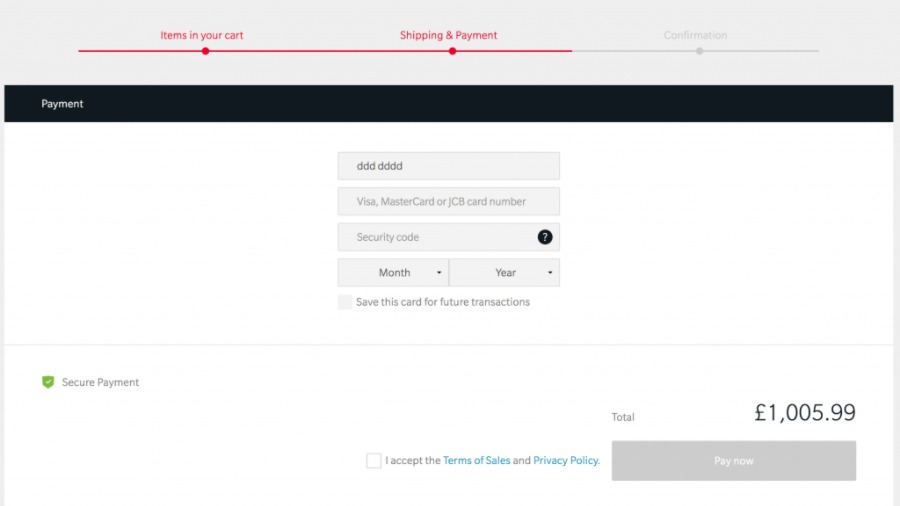
In their official response made on the OnePlus forum, the Chinese smartphone maker said they’re investigating the credit card fraud reports and agreed that the buyers who used their credit cards directly to make purchases are among the affected ones.
OnePlus said all the payment processing is done on the servers of their payment service provider. When a buyer chooses “Save this card for future tractions,” the card details are stored on the third-party server. The OnePlus site only saves an encrypted token which is used by the payment server to fetch the payment details of the buyer.
OnePlus also clarified that they have been shifting away from Magento platform and re-designing their website with custom code. Also, they never used Magento’s payment module. So, it’s unlikely their site is affected by the Magento bugs discovered in the past.
While the company was quick to issue a statement, it doesn’t seem it would of much help to the buyers who got money sucked from their accounts. People who are seeing unknown transactions in their statement are advised to contact their banks immediately and get things sorted.
Monday, 15 January 2018
Beware! Fake Spectre & Meltdown Patches Are Infecting PCs With “Smoke Loader” Malware
One of the most common tactics employed by notorious cybercriminals involves taking advantage of the popular trends and creating fraudulent websites/apps to trick users. It looks like some of the players have tried to exploit the confusion surrounding Meltdown and Sprectre CPU bugs.
Forget buggy updates which are causing numerous problems to the users, Malwarebytes has spotted a fake update package that installs malware on your computer. The firm has identified a new domain that’s full of material on how Meltdown and Spectre affect CPUs.
The website appears to have content from the German Federal Office for Information Security (BSI). However, the website is fraudulent and it hosts a ZIP archive link, which is a piece of malware. The fake file in the archive is Intel-AMD-SecurityPatch-10-1-v1.exe.
In case the user downloads the file and attempts to install it, Smoke Loader malware infects the PC. It further downloads more payloads by connecting to various domains and send encrypted traffic.
The website was also spotted sending fake phishing emails. Here’s a screenshot:
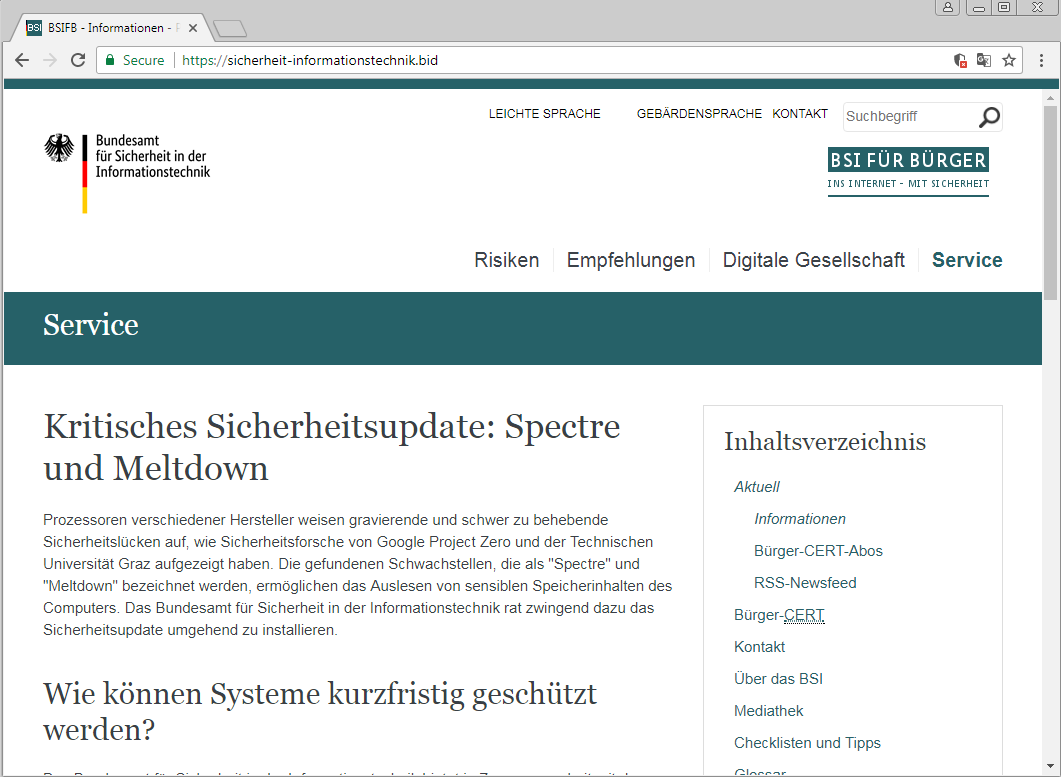
Malwarebytes has already contacted CloudFlare and Comodo regarding this abuse and the site isn’t resolving anymore. But, it doesn’t mean that hackers aren’t trying to exploit such publicized events.
The end-users are advised to always remain cautious and download updates from the dependable sources only. In case you’re getting direct emails or calls from vendors, take them with a grain of salt.
Microsoft’s OneDrive Files Restore Feature Will Make Ransomware Recovery Easier
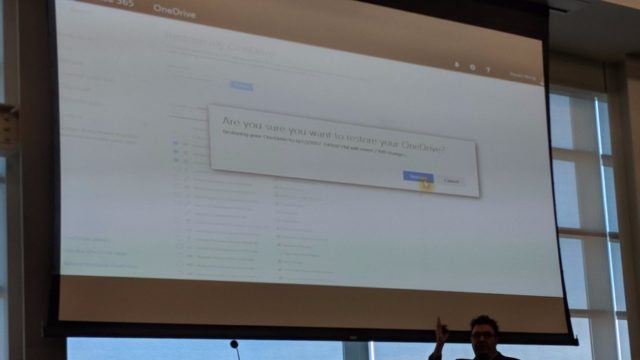
Microsoft is soon about to add a new feature to their cloud storage service called OneDrive. Known as Files Restore, the said feature would allow users to rollback their OneDrive storage to any point back in time and recover files they might have accidentally deleted or encrypt by some ransomware.
The details about the upcoming OneDrive files restore feature were dropped during a SharePoint Saturday San Diego presentation by Stephen L Rose, OneDrive for Business Senior Product Manager.
Files Restore could arrive in the next couple of weeks, but it’s not known whether it would be available for the users of OneDrive for Business only or all OneDrive users.
It appears very similar to how System Restore in Windows can be used to rollback a PC to an earlier system state to recover system settings and installed applications. The difference is that Microsoft is doing it for the files stored on OneDrive.
Certainly, users having the facility to recover files easily will motivate them to increase their use of cloud-based storage options. Although it might not be specifically intended, Files Restore could lessen the effects of ransomware attacks which prevent users from accessing their files until they agree to pay the ransom amount. However, users will have to enable cloud sync every time so that new files are regularly added to their cloud storage.
Saturday, 13 January 2018
India unveils Pratyush, its fastest supercomputer yet

India’s supercomputing prowess moved up several notches Monday after
it unveiled Pratyush, an array of computers that can deliver a peak
power of 6.8 petaflops. One petaflop is a million billion floating point
operations per second and is a reflection of the computing capacity of a
system.
According to a statement by the Indian Institute of Tropical Meteorology (IITM), Pratyush is the fourth fastest supercomputer in the world dedicated for weather and climate research, and follows machines in Japan, USA and the United Kingdom. It will also move an Indian supercomputer from the 300s to the 30s in the Top500 list, a respected international tracker of the world’s fastest supercomputers.
The machines will be installed at two government institutes: 4.0 petaflops HPC facility at IITM, Pune; and 2.8 petaflops facility at the National Centre for Medium Range Weather Forecast, Noida.
 The government had sanctioned ₹400 crore last year to put in place a
10-petaflop machine. A key function of the machine’s computing power
would be monsoon forecasting using a dynamical model. This requires
simulating the weather for a given month — say March — and letting a
custom-built model calculate how the actual weather will play out over
June, July, August and September.
The government had sanctioned ₹400 crore last year to put in place a
10-petaflop machine. A key function of the machine’s computing power
would be monsoon forecasting using a dynamical model. This requires
simulating the weather for a given month — say March — and letting a
custom-built model calculate how the actual weather will play out over
June, July, August and September.
With the new system, it would be possible to map regions in India at a resolution of 3 km and the globe at 12 km.
While inaugurating the facility at IITM, Pune, Union Science Minister Dr. Harsh Vardhan said Pratyush would be India’s “premier" HPC (high performance computing) and was a step up from India’s current peak capacity of 1.0 PF.
According to a statement by the Indian Institute of Tropical Meteorology (IITM), Pratyush is the fourth fastest supercomputer in the world dedicated for weather and climate research, and follows machines in Japan, USA and the United Kingdom. It will also move an Indian supercomputer from the 300s to the 30s in the Top500 list, a respected international tracker of the world’s fastest supercomputers.
The machines will be installed at two government institutes: 4.0 petaflops HPC facility at IITM, Pune; and 2.8 petaflops facility at the National Centre for Medium Range Weather Forecast, Noida.
With the new system, it would be possible to map regions in India at a resolution of 3 km and the globe at 12 km.
While inaugurating the facility at IITM, Pune, Union Science Minister Dr. Harsh Vardhan said Pratyush would be India’s “premier" HPC (high performance computing) and was a step up from India’s current peak capacity of 1.0 PF.
Top Programming Languages That Largest Companies Are Hiring Developers For In 2018

Learning a programming language involves some important decisions on the part of a professional. Gone are the days when one mastered a single popular programming language and it granted job security. Highlighting these limitations of reliance on a single programming language, Coding Dojo coding school has shared the results of an interesting study.
No company uses one programming language for products
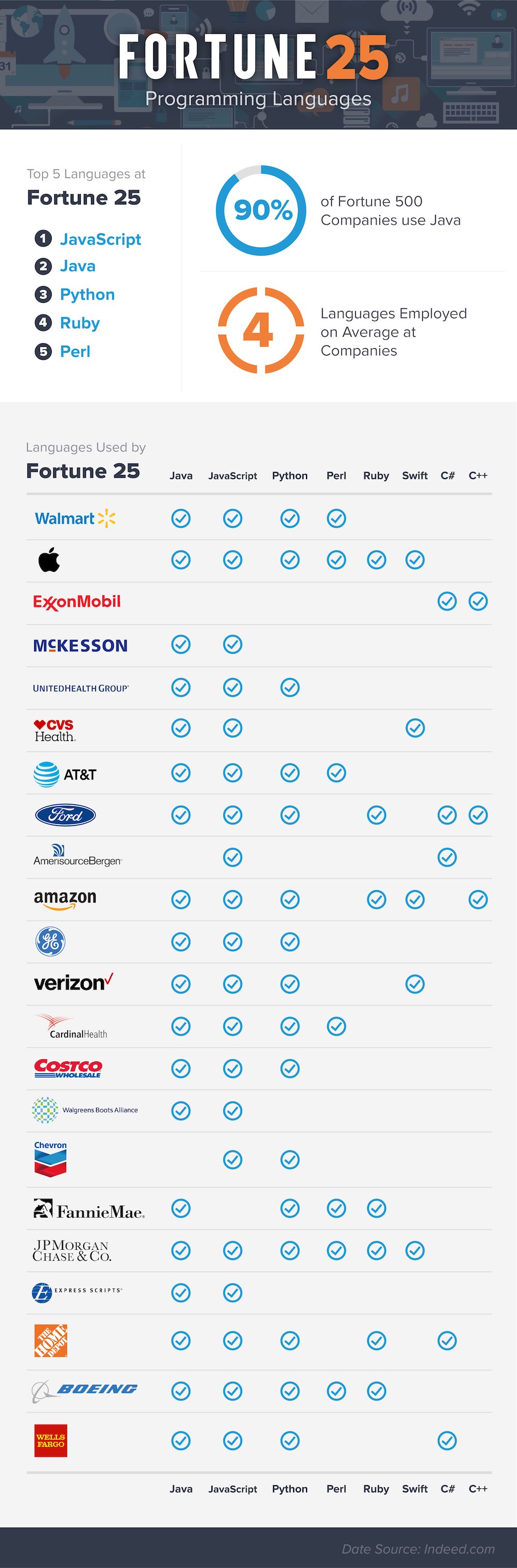
The research covered the top 25 Fortune 500 companies and studied their hiring requirements. As expected, it was found that none of the 25 organizations used just one coding language for developing and maintaining their products and services. On an average, the companies relied on four different languages.These types of trends become even more important to know about the most in-demand programming languages and knowing which one of them is the perfect one to get started for a new learner. You need to analyze your needs and the problem gets solved. While Kotlin and Swift are gaining grounds in mobile app development, machine learning field uses R and Python.
If we talk specifically about this study, the top 5 most popular languages in Fortune 25 are:
- JavaScript
- Java
- Python
- Ruby
- Perl
You can find the complete list in the chart embedded below:
21 Free And Best Android Apps For 2018 To Get The Most Out Of Your Smartphone
The number of apps in Google Play Store has grown to around 3.5 million by December 2017. There are multiple apps with the same functionalities. So, instead of trying all of them, we have saved you some time by compiling this list of free and best Android apps. These are also some of the essential Android apps that you should have on your device in 2018.
Note: We have made this list considering user ratings, app features, and popularity. You are free to choose any other alternative app that suits your need
21 Best Android Apps You Should Use In 2018
1. Launcher App: Nova Launcher
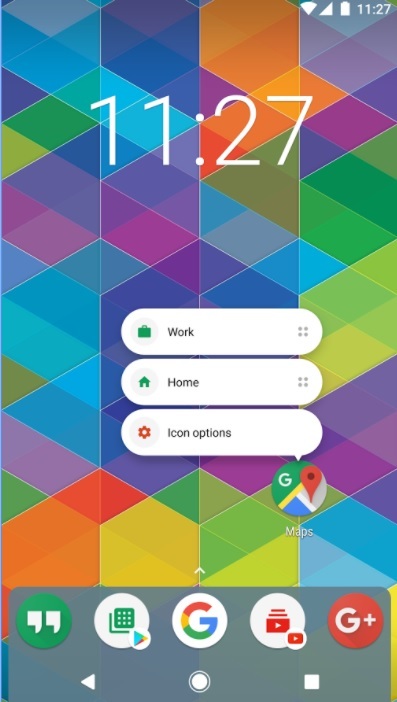
Nova Launcher is one of the best Android launchers that has been on Play Store for many years. The launcher is smooth and lightweight with tons of customizations. Numerous icon packs are available in the Play Store to change its looks.
Nova Launcher supports customization of app-drawer, has a scrollable dock, notification badges, folder and icon customization, and packs around a dozen gestures for ease of use. It is free to download, but its prime version unlocks a lot of other features including some locked gestures.
2. Assistant App: Google Assistant
Google Assistant is an
artificial personal assistant developed by Google that allows users to
navigate, communicate, and get a lot of things done. You can use the
Google assistant on your Android or iOS devices to trigger apps, ask any
questions, play games, make plans, etc. including these 30+ Super Useful Voice Commands. It is available for all kind of Android smartphones that run Android marshmallow, Nougat, or Oreo and even on smartwatches.
3. Keyboard App: Swiftkey
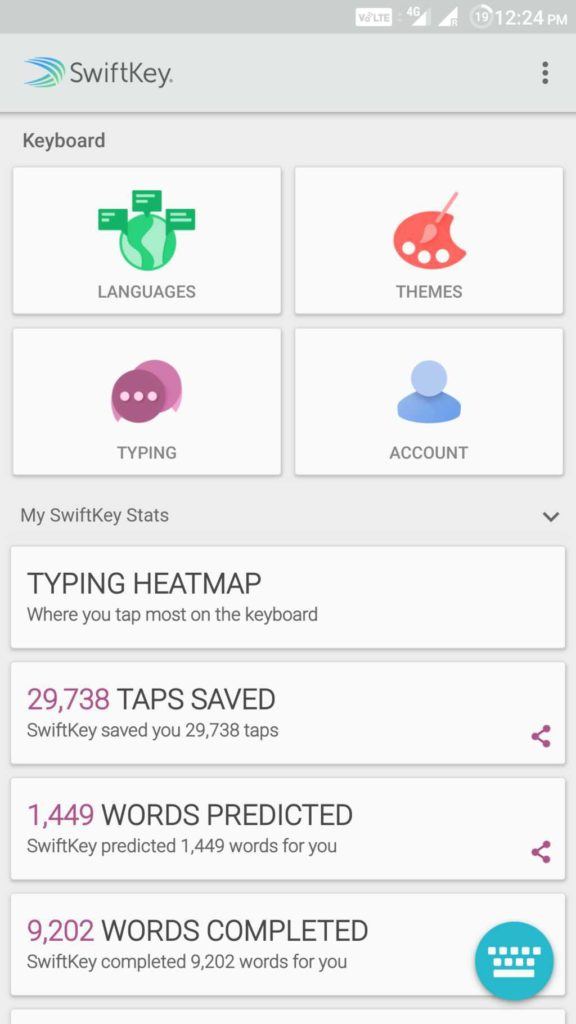
SwiftKey keyboard is trusted by over 250 million users worldwide. It uses artificial intelligence that enables it to learn and can satisfactorily predict what the user intends to type.
Swiftkey features autocorrect and gesture typing for faster input. Moreover, there is an inbuilt GIF search engine, a wide range of themes and is an excellent keyboard for bilingual folks. Swiftkey does not store information from password fields and sensitive information such as credit card numbers. Overall, Swiftkey will enhance your typing experience and is a must-have app on your Android device. We have featured it among the top Android keyboard apps.
4. Video Calling App: Google Duo
Google Duo is one of the best video calling apps for Android with a simple interface. It’s quite easy to log in and verify your number, and you can make fast video calls just like making a standard phone call. Its unique “Knock Knock” feature lets you have a live preview of the caller before you receive the call. It is available for both Android and iOS users.
5. Note Taking App: Evernote
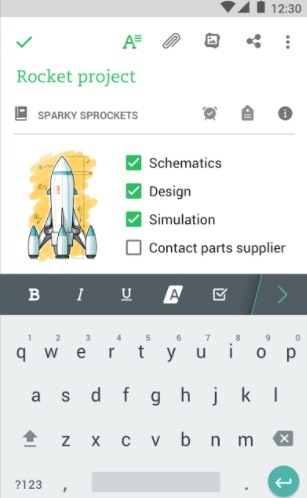
Evernote is a cross-platform utility to take notes in a variety of formats, including text, photos, audio, video, sketches and more. It is one tool you need to keep yourself organized in today’s hectic life. It syncs across all your devices to facilitate workflow. Evernote also has home-screen widgets for quick access to your notes. It is one of the essential Android apps for every user.
6. Office App: WPS Office +PDF
WPS is a free Office Suite application with all-in-one features. It
is fully compatible with Microsoft Word, Excel, Powerpoint, and
integrates PDF, presentations, spreadsheets, memo, Google docs, etc. The
app also comes with a free PDF converter, reader, editor, along with
file sharing abilities, supports multi-window mode, data encryption,
etc. It is intuitive and easy to use, and you can also connect to the
Cloud Drive to automatically save your documents to the cloud platform.
Overall, it is one of the best Android office apps.
7. Google News & Weather
Google News & Weather is one of the best apps for Android that helps you get news from your preferred topics along with accurate weather information and prediction. If you provide access to location services, it can show your local news and weather. The app uses AMP (Accelerated Mobile Pages) to provide instant load and read experience. It also comes with widget support.
8. File Manager App: ES File Explorer
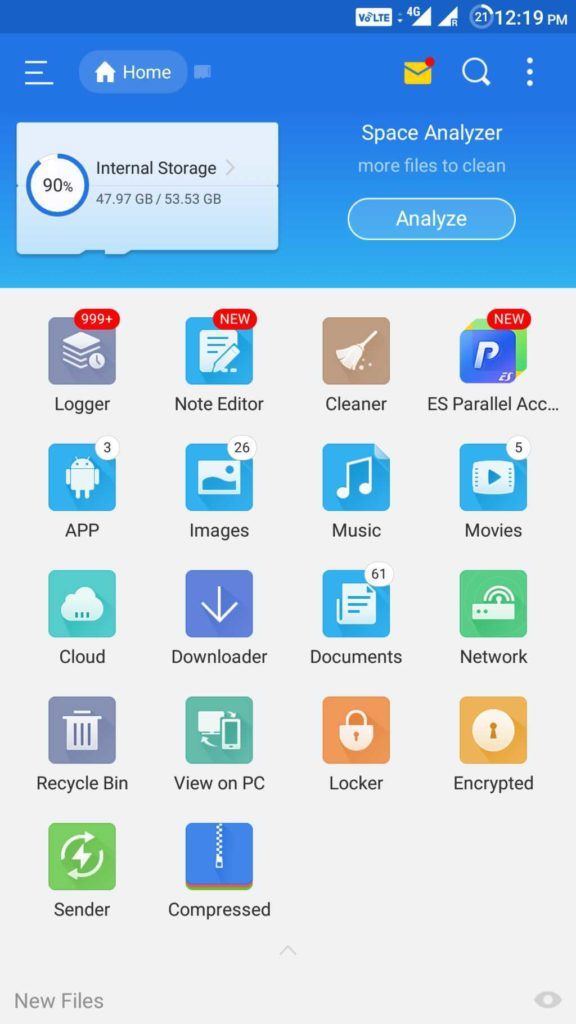
ES File Explorer is one of the popular Android file manager apps with all the necessary features. It comes with a Space Analyzer to help you free up space on your device. Sharing media with other ES File Explorer users over WiFi is easy. ES File Manager also comes with an App Manager where you can uninstall/backup apps. You can even uninstall system apps with root privileges. It’s “Root Explorer” feature unlocks a lot of functionalities for rooted devices.
ES File Explorer is one of the popular Android file manager apps with all the necessary features. It comes with a Space Analyzer to help you free up space on your device. Sharing media with other ES File Explorer users over WiFi is easy. ES File Manager also comes with an App Manager where you can uninstall/backup apps. You can even uninstall system apps with root privileges. It’s “Root Explorer” feature unlocks a lot of functionalities for rooted devices.
9. Cloud Storage App: Google Drive
Google Drive is a
massive cloud storage service that gives you free space to store and
access your files in the cloud platform. You can browse through all the
files and folders you saved in your Drive and share, move, download,
rename or print any files from the application.
It also encompasses
Google Docs, Sheets and Slides, where you can edit documents,
spreadsheets, forms, presentations, etc. and save them in the Drive.
Users can have access to 15 GB of free space across Google Drive, Gmail,
and Google Photos. This essential Android app helps you to keep your
valuable files backed up on the cloud for free.
10. Instant Messaging App: WhatsApp
WhatsApp is a free, instant messaging application where users can
communicate with one another using the phone’s internet service. It
provides you the ability to send text messages and voice messages, share
links, images, and location, make video calls, etc. to any other user
worldwide. It is one among secure Android messaging apps and is also accessible from a desktop environment.
11. Browser App: Google Chrome
Google Chrome is a cross-platform browser application. It has free
and necessary features like unlimited tabs, HTML5 support, desktop
syncing, quick links to favorite sites, built-in Google search and
Google translate, etc. The app is convenient, fast and provides secure
browsing experience with a lot of customizable options. Google Chrome is
one of the best Android browsers available.
12. File Sharing App: Xender
Xender is one of the essential Android apps you should have on your device. It saves you from the hassle of carrying your USB data cable around to exchange files with PC as no PC side software is required to transmit or receive files. Moreover, it is a hundred times faster than Bluetooth for transferring files between any device, thanks to it being cross-platform.13. Video Player App: MX Player
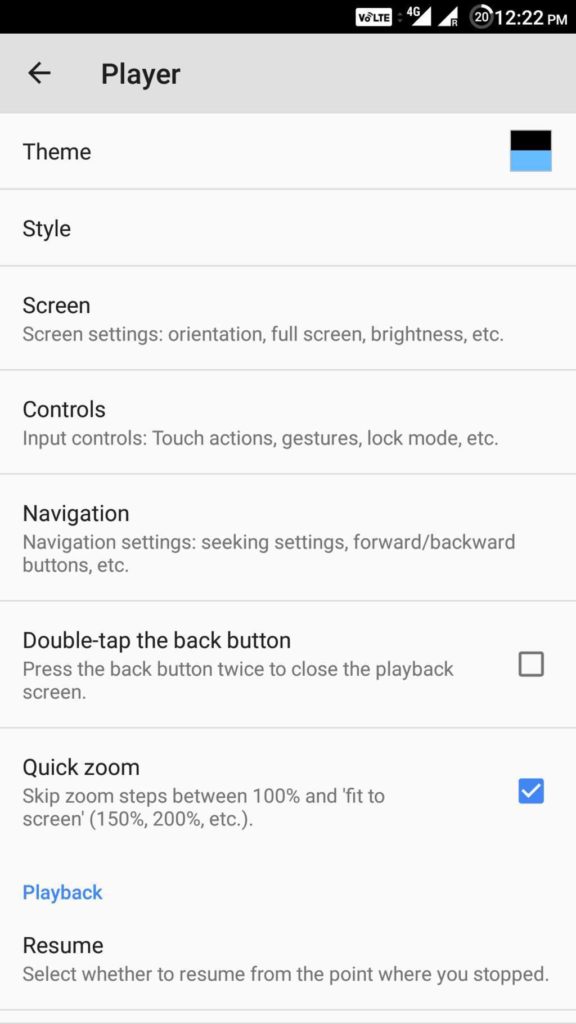
This video player for Android supports almost all the primary video and audio file formats. It packs a lot of features including editing of subtitle timeframes, fast forwarding and volume control gestures, gestures for zooming in and out of a video, on-screen kid lock and many more. MX Player is available for free with ads. Moreover, it comes with additional plugins for extra functionalities.
14. Google Maps
Google Maps is a web
mapping service for real-time GPS navigation, traffic, transit, and
details about millions of people. It offers street maps, satellite
imagery, real-time traffic info, short-cut route planning, etc. The app
covers accurate maps of more than 200 countries and territories. With
the help of the Google map services, you can navigate an unknown place
with ease. It is one of the essential Android apps.
15. Photo Editor App: PicsArt
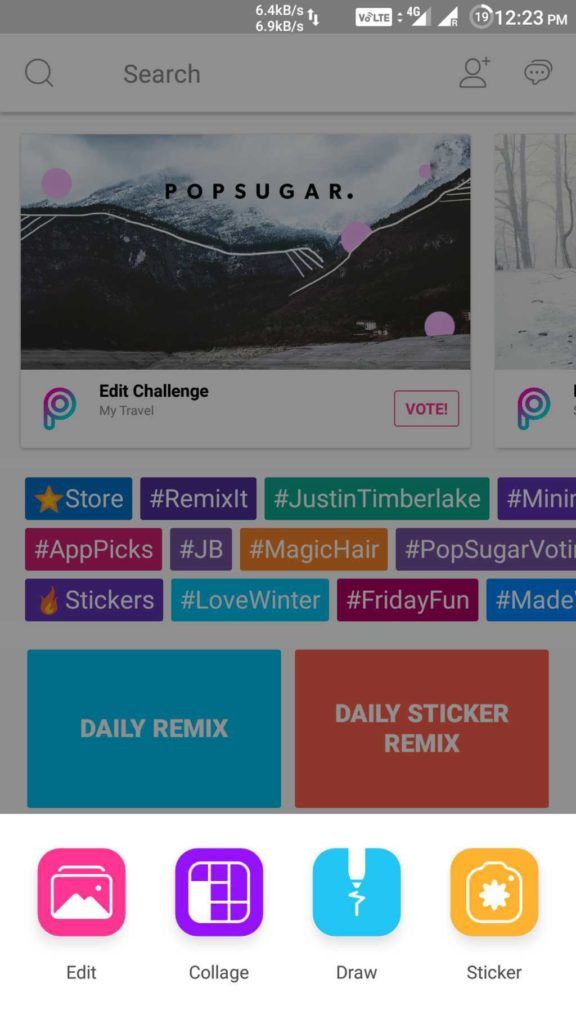
With over 100million downloads, PicsArt is one of the favorite photo editing apps for Android. You will be overwhelmed by the number of options you have for customizing your photos. It has a social network for sharing photos within the app. Its features include collage, drawing on photos, frames, stickers, free cropping, clone tool, tilt-shift, perspective changer tool and a lot more. The app is available for free with some in-app purchases and display ads.
16. Remote Control App: Unified Remote
Unified Remote is one of the go-to apps for controlling your PC from an Android device. It uses Bluetooth or Wifi to remotely control your PC and comes preloaded with support for more than 90 popular programs. It supports Windows, Linux, and Mac, and requires a server program to be installed.Using Unified Remote, you can remotely wake up your computer from sleep using its “Wake on LAN” feature. All the necessary features like screen mirroring, keyboard and mouse, media player controls, etc. are available within this app. You can even use it to control a Raspberry Pi or Arduino Yun. Its paid versions unlock a multitude of useful features including custom remotes and functions for Android wear.
17. RSS Reader App: Feedly
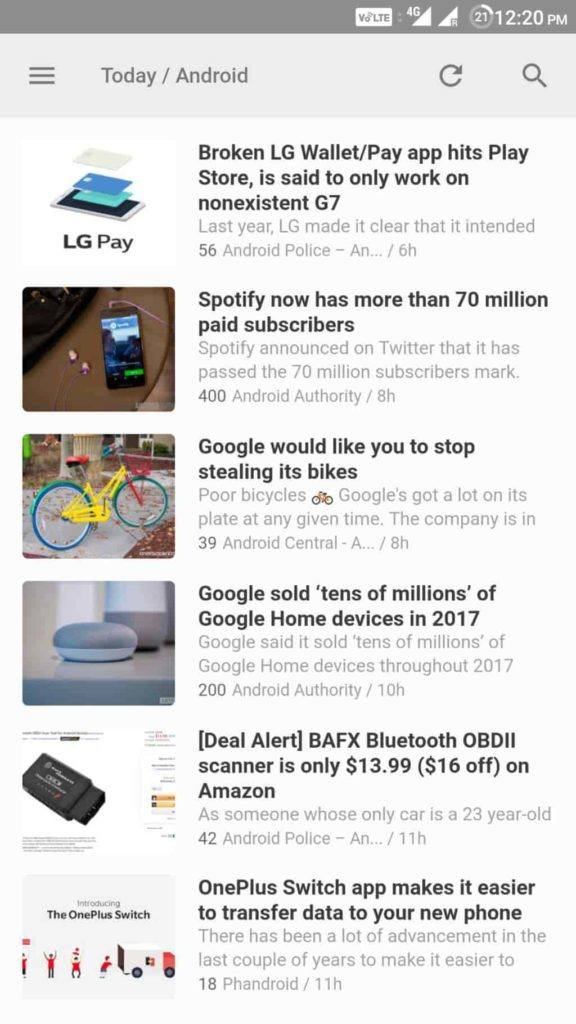
Feedly is one of the best Android apps. It neatly organizes all the information and news for you in a single place. Online magazines, blogs, Youtube channels and more than 40 million feeds are available within this single app. Many professionals use it to stay ahead of the market as it is helpful in analyzing competitors and trends.
Feedly is powered by RSS and offers integrations with Facebook, Twitter, Evernote Pinterest, LinkedIn, etc. so that you to easily share stories with networks and teammates.
18. Password Manager App: LastPass
LastPass is a feature-rich password manager
and secure private vault that can lock down your passwords and personal
information. It has the ability to autofill logins in browsers and apps
and can generate new and secure passwords instantly. You can log in
with one password instead of remembering a dozen. Moreover, you can also
sync your passwords and data across all of your devices. It is
intuitive and fast across numerous platforms.
19. Music Discovery App: Shazam
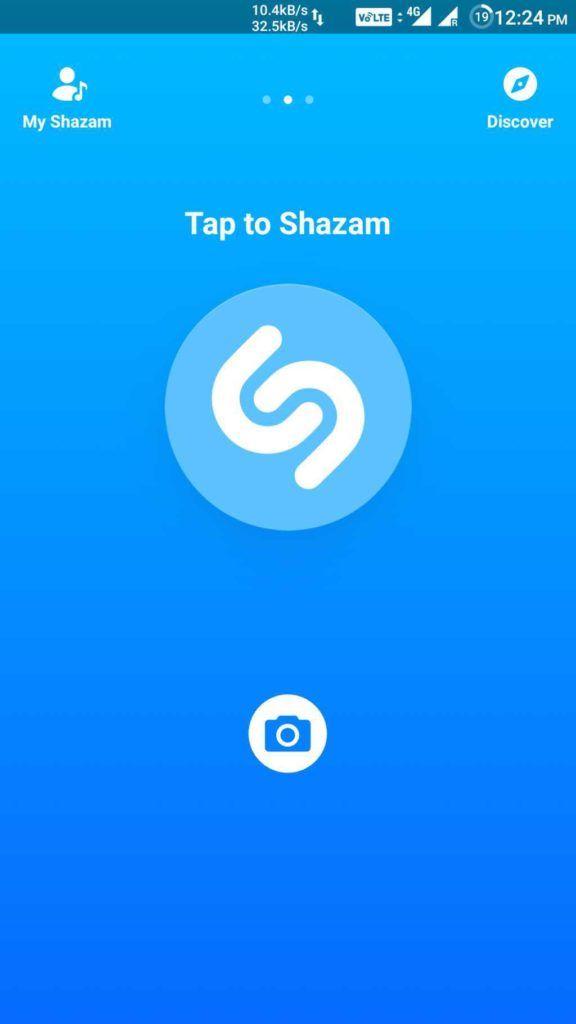
Shazam is a popular
music recognition application that can instantly identify music that’s
playing in your surrounding and is used by a lot of music lovers. All
you need is to hold your Android device close to the source of the song,
and after a few seconds, the app will accurately detect the song.
Besides, you can also play songs and add them to Spotify playlists, buy
songs in Google Play Music with one tap, connect your Facebook account,
etc. If you are a musicophile, this Android app is a must-have for you.
20. Task Automation App: Automate
Automate allows you to automate various tasks using simple flowcharts. You can automate system Settings to perform tasks like changing volume, Bluetooth, GPS, etc. It even allows you to trigger tasks based on location, time of the day, battery level and many other events. With this awesome app, you can automate almost anything on your Android device. It even supports plug-in for the popular automation app Tasker. It is definitely one of the best apps for Android.21. Scanner App: Tiny Scanner

Tiny Scanner is a
scanner application that can scan every type of document and save them
as image files or as PDFs. You can name and organize the scanned files
and share them by email, store in DropBox, Google Drive, etc. It comes
with many scanner features such as color, grayscale and black&white
scans, page edge removal, adjusting page sizes, sorting scans by date
and time, etc. The app is optimized to run fast, and you can also
protect your documents with a passcode.
Did you find this list of free and best Android apps to be helpful? Share your reviews in the comments.Friday, 12 January 2018
This ‘Mind-Reading AI’ Can Draw Images Of What You’re Thinking

Certainly, the capabilities of artificial intelligence are far higher than just powering voice assistants and robots making backflips. Humans have always wanted some tech that could read their minds. Multiple attempts have been made so far. And with the start of the year 2018, here is another one.
Scientists at the ATR Computational Neuroscience Labs in Japan have created an AI-based system that’s capable of performing deep image reconstruction from human brain activity.
In simple words, it’s reading our minds without actually knowing what we’re thinking. Now, what that means is the AI system can’t see inside our brain or the things we’re picturing. It takes help of the brain waves (MRI data) to guess what we are thinking and draws an image out of it. For instance, a letter or shape

To train their AI, the researchers fed it with recorded brainwaves of human subjects after showing them images. Over the course of 10 weeks, they collected brain activity data in real-time and also by making the human subjects visualize what they had seen in the past.

There is still scope for improvement for the AI which lacks perfection when it comes to reading our minds. But in the future, more advanced systems could open ways for new modes of communication. Possibly, which won’t require us to speak or even make hand gestures. There could be many applications. For example, such technology could be used to help people with difficulty in speaking.
Reliance Jio Planning To Launch Its Own Cryptocurrency
On
one hand, the investment in cryptocurrencies is coming under the radar
of Indian government, India’s largest corporate conglomerate is planning
to launch its own cryptocurrency named JioCoin in the near future.
As per a report from Livemint,
the JioCoin project is being led by Mukesh Ambani’s elder son Akash
Ambani. The company is planning to build a 50-member team of young
employees to work on the blockchain technology
A source familiar with the matter told that Reliance has multiple applications of blockchain and the team will work on different projects. Out of those options, one application is cryptocurrency.
The company could deploy smart contracts and use it in supply chain management logistics. The loyalty points paired with different Jio services could be eventually based on JioCoin.
The company also aspires to get into the Internet of Things to make home automation more popular in India, as per the source. “Experts have also pointed out that blockchain could potentially address security risks to IoT as it provides a shield against data tampering by labeling each block of data.”
Despite the unclarity from the government front, all major banks have pledged to integrate blockchain in their operations; some government agencies have also hinted at its future use in e-Governance schemes. However, on a worldwide scale, the crackdown on Bitcoin and other digital currencies continues.
What are your thoughts on the possible applications on blockchain in Indian scenario? Share your views and become a part of the discussion.
A source familiar with the matter told that Reliance has multiple applications of blockchain and the team will work on different projects. Out of those options, one application is cryptocurrency.
The company could deploy smart contracts and use it in supply chain management logistics. The loyalty points paired with different Jio services could be eventually based on JioCoin.
The company also aspires to get into the Internet of Things to make home automation more popular in India, as per the source. “Experts have also pointed out that blockchain could potentially address security risks to IoT as it provides a shield against data tampering by labeling each block of data.”
Despite the unclarity from the government front, all major banks have pledged to integrate blockchain in their operations; some government agencies have also hinted at its future use in e-Governance schemes. However, on a worldwide scale, the crackdown on Bitcoin and other digital currencies continues.
What are your thoughts on the possible applications on blockchain in Indian scenario? Share your views and become a part of the discussion.
Subscribe to:
Posts (Atom)
-
ER Model, when conceptualized into diagrams, gives a good overview of entity-relationship, which is easier to understand. ER diagrams can ...
-
For a huge database structure, it can be almost next to impossible to search all the index values through all its level and then reach the...
-
gfx multimedia making it work 8 th edition by tay vaughan download
-
DBMS stands for D ata b ase M anagement S ystem. We can break it like this DBMS = Database + Management System. Database is a collection ...

